Best Alternatives to Screen Studio for Windows in 2026
Screen Studio is beautiful — but it’s Mac-only and pricey. If you’re on Windows and want professional recordings without the subscription, here are the best free alternatives.
Screen Studio costs $89+ and only runs on macOS. If you’re a Windows user who wants clean, polished screen recordings—the kind that look like a professional produced them—you shouldn’t have to pay a fortune or install bloated software.
Quick Comparison: GoTelePrompt vs OBS Studio
| Feature | GoTelePrompt | OBS Studio |
|---|---|---|
| Price | Free | Free |
| Installation | None (Browser) | Required |
| Auto Window Padding | Yes | No |
| Webcam PIP | Yes (4K) | Yes |
| Learning Curve | Zero | Steep |
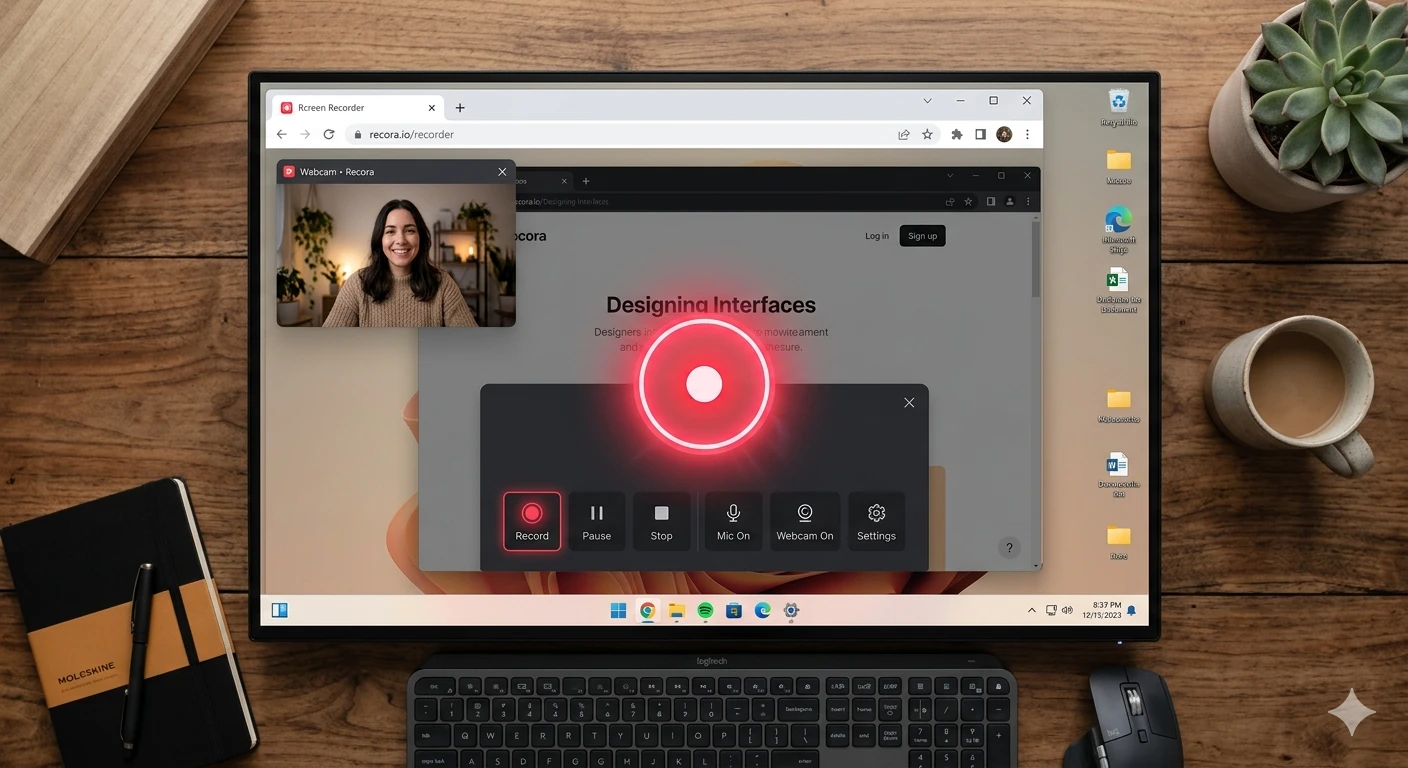
Preview: Polished recording interface with professional padding.
Product DemoGoTelePrompt Screen Recorder
Free • Web-based • No installation
This is the closest you can get to the Screen Studio aesthetic on Windows. GoTelePrompt’s recorder adds automatic padding around your window, giving you that clean, “floated” look without touching a single setting.
Pros
- Completely free forever
- Zero installation or setup
- 4K recording + webcam PIP
- Works on Windows, Mac, Linux
Cons
- Requires internet connection
- Auto-zoom in beta
OBS Studio
Free • Desktop App • Open Source
The gold standard for total control. If you need complex multi-source setups and don’t mind spending hours in configuration menus, OBS is unbeatable. However, it lacks the “one-click” polished look of Screen Studio.
Pros
- Works offline
- Unlimited resolution control
- Highly extensible with plugins
Cons
- High learning curve
- No auto-window padding
Quick Tip for Creators
If you are making YouTube tutorials or LinkedIn demos, GoTelePrompt’s workflow will save you hours of editing. Reserved OBS for live streaming or high-end production that requires scene switching.
Frequently Asked Questions
No. Screen Studio is Mac-only. Windows users need an alternative like GoTelePrompt for that polished look, or OBS for technical power.
GoTelePrompt is the closest. It offers the same window padding and clean aesthetic automatically without needing a Mac or a paid license.
Yes. Because it is browser-based, GoTelePrompt works perfectly on Windows 10, 11, Mac, and Linux without any installs.
Yes. Both GoTelePrompt and OBS Studio support 4K recording, provided your monitor and hardware support that resolution.
Screen Studio is priced at $89+ as a one-time purchase. The premium is largely for its polished UI, automatic zoom-and-pan animations, and the floated-window aesthetic. For Windows users who don’t need auto-zoom, GoTelePrompt delivers the core aesthetic for free.
Read More
Explore more resources and comparisons.