Are you tired of “free” tools that force you to create an account before you can see the prompter?
Our free online teleprompter works directly in your browser—no sign-up, no downloads, and no credit card required. We believe professional tools should be accessible instantly, allowing you to focus on your performance rather than technical hurdles.
Why Choose Our “No Sign Up” Web Teleprompter?
In a fast-paced digital world, creators and professionals need tools that just work. Whether you are recording a YouTube video, a TikTok script, or prepping for a high-stakes Zoom presentation, our web-based tool offers:
Instant Access
Open the URL and start pasting your script immediately. No onboarding flows or email confirmations to slow you down.
Privacy First
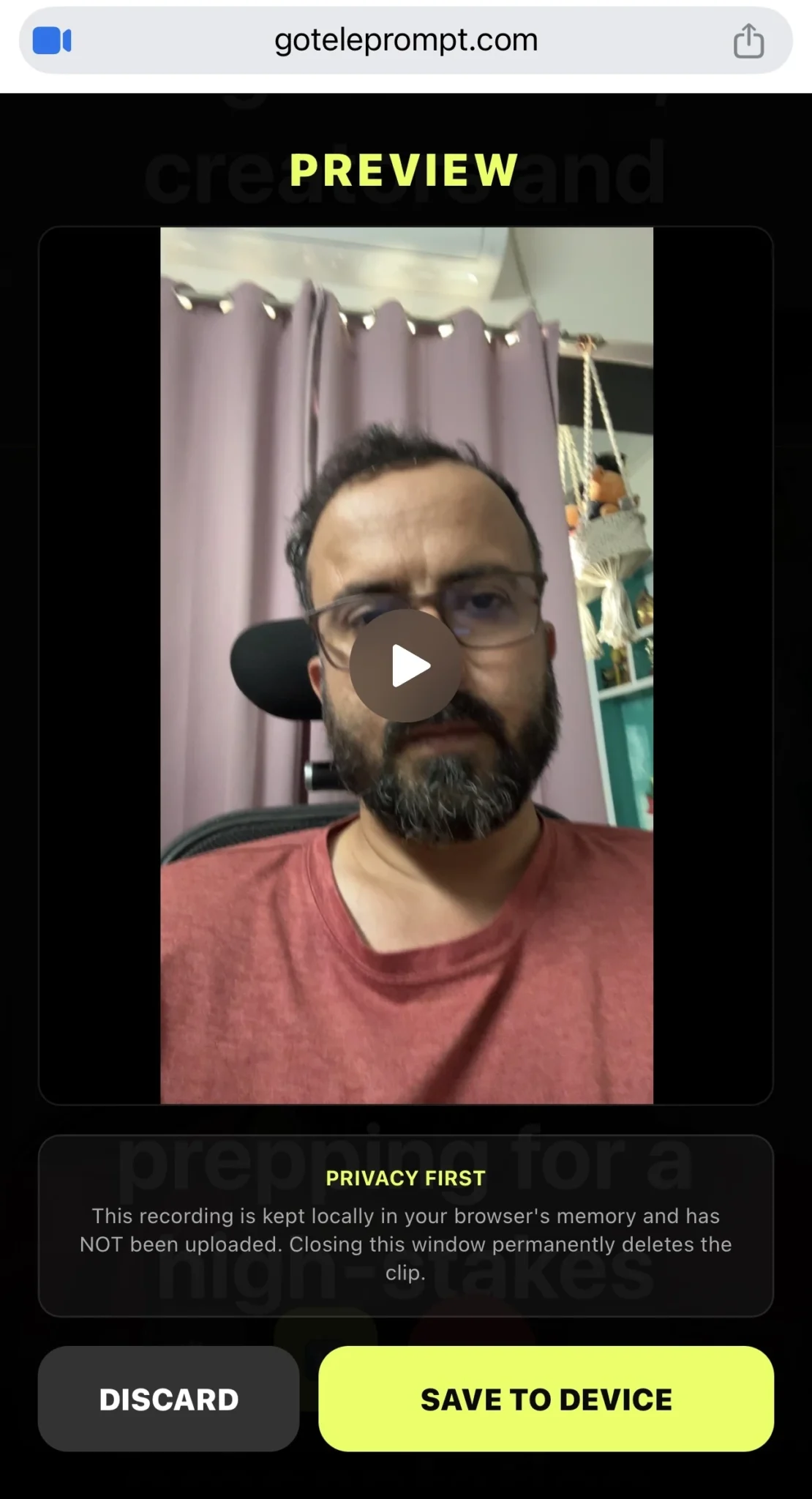
Since there’s no account, your scripts stay in your local browser session. We don’t store your sensitive data on our servers.
Universal Compatibility
Works seamlessly on Windows, Mac, Linux, and mobile browsers including Chrome, Safari, and Firefox.
Hardware Ready
Includes a “Mirror Mode” feature specifically designed for use with professional DSLR teleprompter beam-splitter glass.
How to Use the GoTeleprompt Online Teleprompter
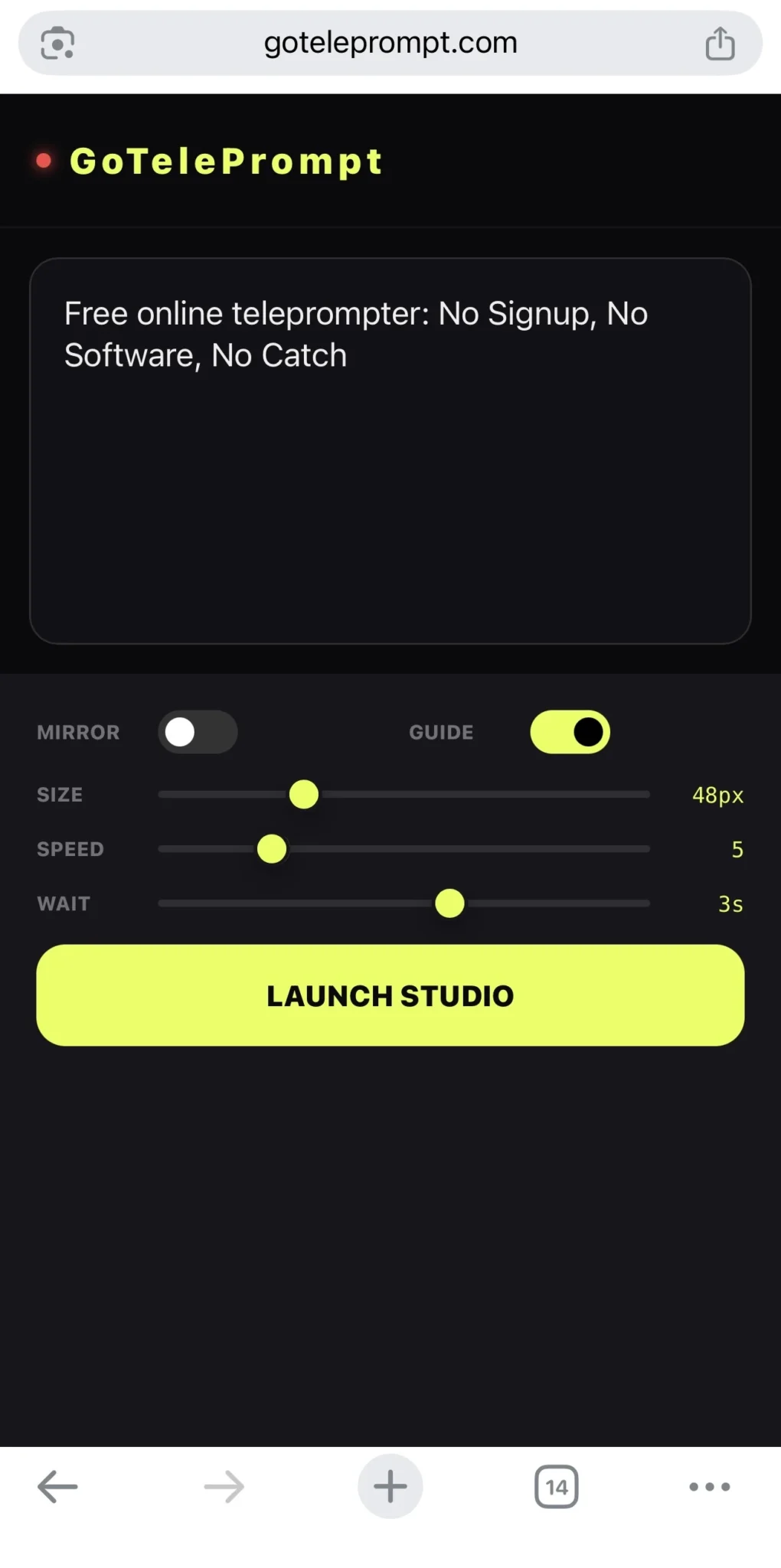
Getting started takes less than 10 seconds. No complicated manuals, just a clean interface designed for creators.
Paste Your Script
Clear the sample text and type or paste your content into the editor. Our tool handles any script length.
Adjust Settings
Use the sidebar to change font size, speed, and text color. High-contrast mode is recommended for visibility.
Position Browser
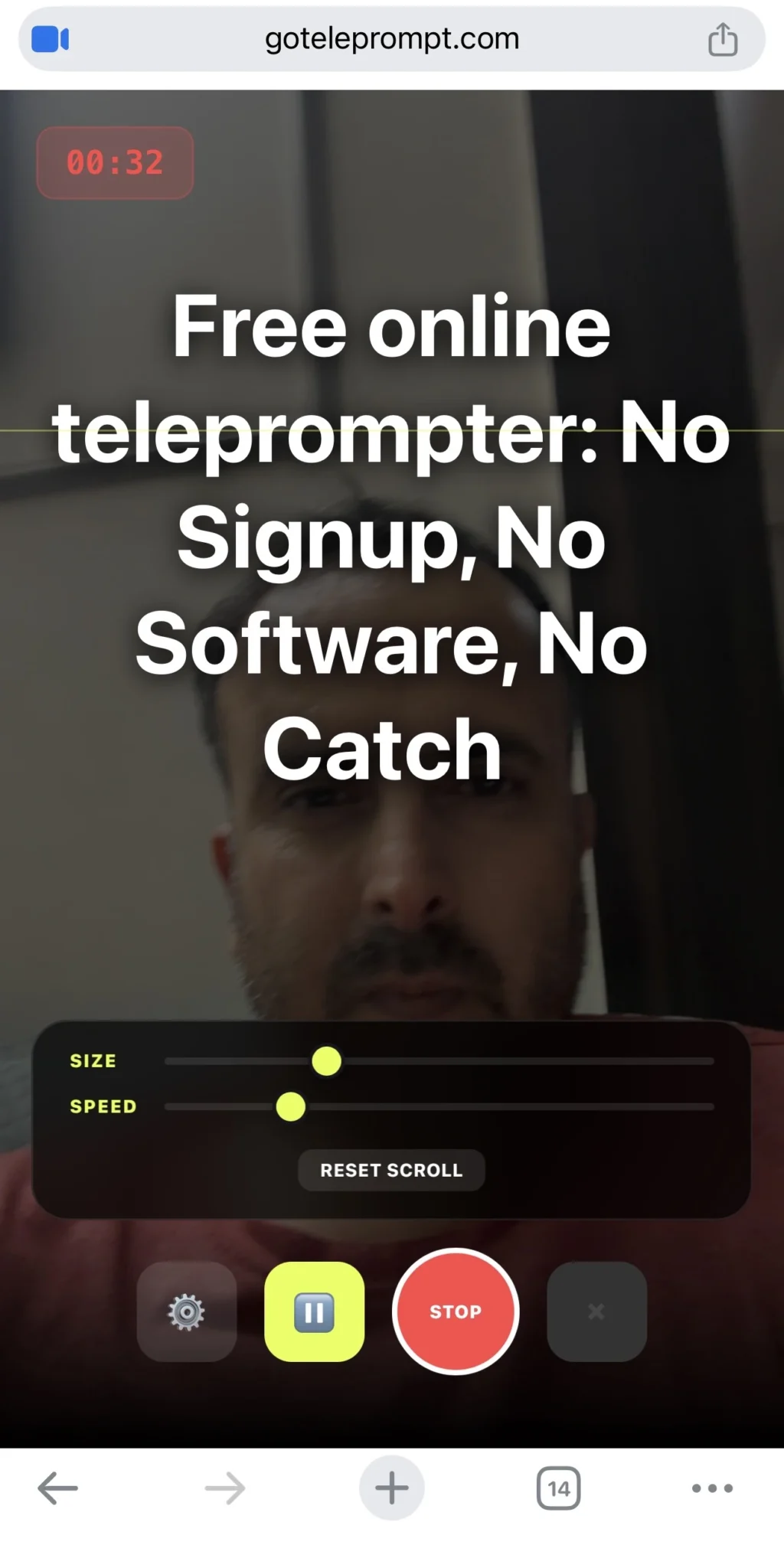
Move the window close to your webcam. This ensures you maintain natural eye contact with your audience.
Hit Play
Press the “Start” button to begin your scroll. You’re ready to record your professional video!
Recording Experience
See how our professional teleprompter interface streamlines your workflow from script to final recording.
Top Features for Creators & Professionals
Unlike other “no login” tools that offer bare-bones features, we provide professional-grade controls to ensure your production is flawless.
Voice-Activated Scrolling Beta
The ultimate hands-free experience. Our AI-driven engine listens to your speech and scrolls the text automatically, pausing instantly when you stop to emphasize a point.
Precision Layout Control
Adjust side margins to keep text narrow and centered. This minimizes horizontal eye movement, ensuring you never look like you’re reading from a screen.
Smart Session Recovery
Never lose your work. Even without an account, our tool automatically caches your script locally. If you refresh or close your browser, your content is right where you left it.
Dual Monitor Control
Perfect for studio setups. Launch the controller window on your laptop screen while the clean teleprompter feed displays on a secondary monitor or beam-splitter glass.
Who Is GoTeleprompter For?
Our tools are engineered to support anyone who needs to speak clearly, confidently, and professionally on camera.
Content Creators
Record scripts perfectly on the first take. Spend less time editing out “umms” and “ahhs” and more time creating high-quality content for your audience.
Remote Professionals
Deliver flawless presentations and pitch decks. Maintain perfect eye contact while referencing your key talking points during high-stakes virtual meetings.
Educators & Trainers
Record online course modules with a natural, conversational flow. Ensure your complex educational material is delivered clearly and accurately every time.
Public Speakers
Practice your keynote speech with a professional timing tool. Use the built-in speed controls to master your delivery and stick to your allotted time.
Our Creator Tools
Everything you need to produce professional video content.
HD Screen & Webcam Recorder
The easiest way to record tutorials, demos, and presentations. Capture your screen and camera simultaneously.
- Picture-in-Picture Webcam
- No Watermarks or Limits
- Instant Download
Online Teleprompter
A high-performance video script reader. Maintain natural eye contact with the camera while reading lines.
- Auto-Scrolling & Voice Sync
- Custom Font & Colors
- Remote Control Enabled
Mirror Mode Tool
Instantly flip script text for professional hardware rigs using beam splitter mirror glass.
- Horizontal & Vertical Flip
- Zero Latency Rendering
- Print-Ready Formatting
Frequently Asked Questions
Everything you need to know about the GoTeleprompter web application.
Yes. There are no hidden fees or “premium” locks on basic features. You can use the full interface for free without an account. We believe professional tools should be accessible to all creators.
No. This is a 100% web-based application. It runs directly in your browser (Chrome, Safari, Firefox, or Edge) without slowing down your computer or requiring any installation permissions.
Absolutely. Simply toggle “Mirror Mode” in the settings to flip the text horizontally. This allows the text to appear correctly when reflected off the beam-splitter glass of a physical teleprompter rig.
Yes! GoTelePrompt is fully responsive and works perfectly on iOS and Android devices. It’s an ideal solution for mobile creators who need a portable prompter for field reporting or social media content.
There are no word count limits. Whether you’re recording a 15-second “Short” or a 2-hour technical keynote, our engine handles long-form text without lagging or crashing.
Yes. You can fully customize the experience by adjusting the font size, line height, and color scheme. Most users prefer the High-Contrast mode (white text on a black background) for better readability under bright studio lights.
Our AI-powered engine uses your microphone to “listen” to your speech. It matches your spoken words to the script and scrolls the text in real-time. If you go off-script or pause for a drink of water, the prompter stops and waits for you to resume.
Privacy is baked in by design. Your scripts are stored only in your local browser cache. Because there is no account system, your data never touches our servers, ensuring your sensitive scripts remain yours alone.
Read More
Explore more resources and comparisons.